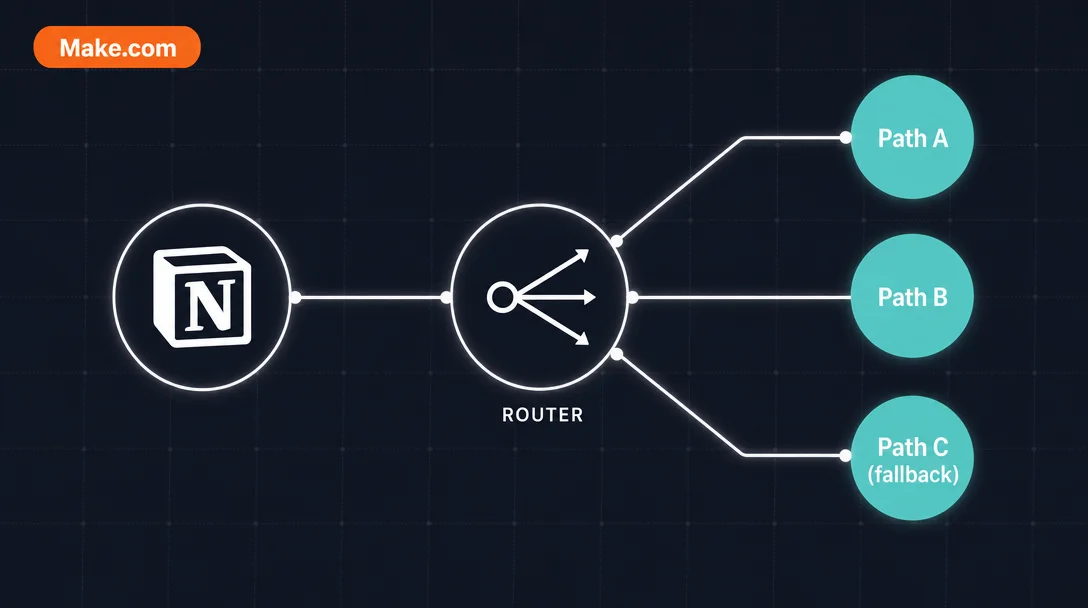
Make.com Router — status-driven conditional branching for Notion databases
Notion's native automations have no If-Then-Else. This tip shows how to wire Make's Router module as the branching primitive: one Watch Database Items trigger fans into three separate paths filtered by a Notion Status property value, each path executes a different action chain (Slack notification / cross-database release-tracker update / fallback audit flag), and every path writes back a Make Status field to prevent re-fires. Covers OAuth connection requirements, the Status Name mapping gotcha, credit math for free-plan scheduling, and four production gotchas including the 2,000-character silent fail and formula/rollup invisibility.

Notion's built-in automations are linear: one trigger, one action, no branching. If you want a row with
Status = "Needs Design Review" to ping Slack while Status = "Ready to Ship" updates a release tracker, you'd need separate automations that can conflict and share no state.Make's Router module solves this in a single scenario. One Watch trigger fans out into as many branches as you need, each with its own filter and action chain. This tip builds the full three-path pattern: watch a Notion database for status changes → route to separate paths → write back to close the loop. 2 3
Why Router, not multiple filters
Adding a Filter on the line between Watch and Action works for one condition. The moment you need two mutually exclusive paths — create a record here or update one there — you'd need separate scenarios, which wastes credits and creates race conditions.
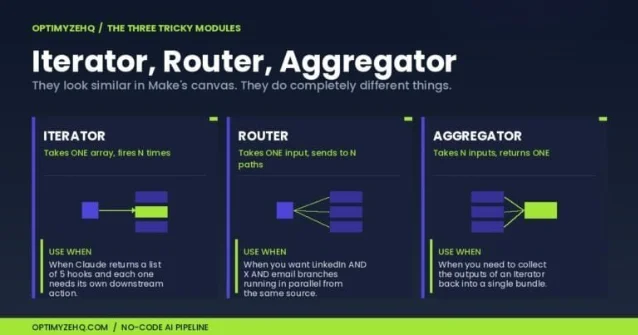
The Router evaluates each path's filter independently, routes each bundle (Make's term for one record's data moving through the scenario) to at most one matching path, and provides a fallback route that catches anything unmatched. 3
コンテンツカードを読み込んでいます…
Step 1 — Connect Notion via OAuth
Open Make, create a new scenario, and add a Notion → Watch Database Items module. When prompted, choose OAuth — not an Internal Integration Secret. Community reports confirm that Internal Connections fail to surface databases in Make's picker. 1
After authorizing, open the database in Notion →
••• menu → Add connections → select your Make connection. Configure Watch by: Updated Time, set Limit to 50 or higher. 2Trigger order: if you edit a row's content and its Status in the same session, Make may treat them as one update and fire once. Change Status last — it's the trigger signal.
Right-click the module and choose Run this module only to pull sample data. Without a sample, every downstream mapping panel stays empty. 2
Step 2 — Add the Router and set path filters
Click + on the right edge of the Watch module, select Flow Control → Router. Add three outgoing paths. Click the dotted line between Router and each action module to open the filter editor:
- Path 1 — Design Review:
Status Name→Equal to (text, case sensitive)→Needs Design Review - Path 2 — Ready to Ship:
Status Name→Equal to (text, case sensitive)→Ready to Ship - Path 3 — Fallback: Check the fallback route checkbox instead of adding a filter. This fires when no other path matches — catches typos, new status values, and empty fields.
Use
Status Name (the nested name subfield), not the raw Select value. Make returns Notion Select properties as objects; mapping to name is the stable text-comparison target. 4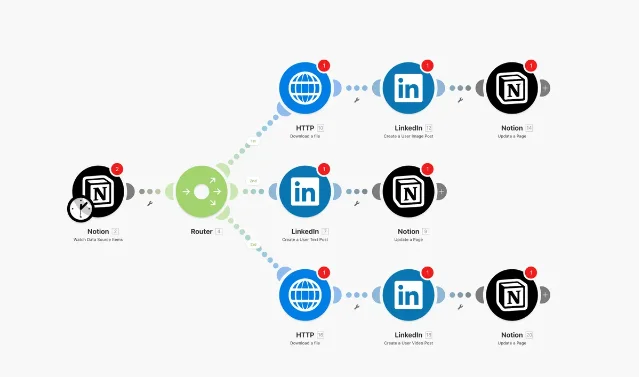
Step 3 — Wire actions and write-back
Each path ends with the actual work plus a Notion → Update a Database Item write-back that marks the record processed — preventing re-fires on the next poll.
Path 1 — Needs Design Review: Add Slack → Create a Message, map the page title and URL from the Watch output. Then update the watched record: set a
Make Status Text field to "Notified: Design Review".Path 2 — Ready to Ship: Add Notion → Search Objects in your release tracker database, filtering where a
Source ID Text field equals the watched record's page ID. 3 Source ID is a Text property you maintain in the target database to store the originating page's ID — the cross-database tracking key. Update the matched entry's Status to "Scheduled", then write back to the original: Make Status → "Release tracker updated".Path 3 — Fallback: Update the watched record; set
Make Status to "Unrouted — check status value". Any row landing here gets a visible flag for investigation.Step 4 — Schedule and credit math
Click the clock icon and set your poll interval (default: 15 minutes).
One scenario run costs roughly 4–6 credits when one path fires per bundle: Watch (1) + Router (1) + two action modules (2). Make's free plan provides 1,000 credits/month. 6
Polling alone at 15-minute intervals burns ~2,880 credits/month even when nothing changes. 6 A 50-row sprint board with 5–10 status changes per day at hourly polling runs roughly 1,000–1,500 credits/month total — at or above the free ceiling. Set the interval to every 4–6 hours for comfortable free-plan headroom, or upgrade to the Core plan for near-real-time routing.
Expected outcome
Once active, any Notion row whose Status changes to a routed value is processed within one poll cycle. Path 1 fires a Slack message. Path 2 updates the release tracker. Path 3 logs a visible flag. The
Make Status field gives you a row-level audit trail without opening Make's execution history.Gotchas
Watch Data Source vs. Watch Database Items. Older tutorials use Watch Database Items by name; some Make accounts show it as Watch Data Source after a rename. If one doesn't appear in search, try the other. 1Roll-up and formula fields are invisible to Make. These property types are computed server-side and not exposed via the Notion API in a form Make can read. If your routing logic depends on a formula, store its output in a separate Text or Number field first. 4 For a formula that returns a number, wrap it with Notion's
format() function to produce a string — Make reads strings more reliably than numeric formula output. 7The 2,000-character silent fail. Notion's API caps each
rich_text element at 2,000 characters. 8 If a path writes long content back to a Notion text field and it exceeds that limit, the Update module fails with no error in Make's log and no change in Notion. Split long text into multiple rich_text array elements to work around this.New database columns don't auto-appear. If you add a property to your Notion database after building the scenario, the Create or Update module may not show the new field. Delete and re-add the module to force a schema refresh. 9
Cover image: AI-generated illustration
参考ソース
- 1Reddit r/Notion: Anyone get Notion and Make to work together recently?
- 2YouTube: Workshop: Build your first Notion Automation in Make (Matthias Frank)
- 3YouTube: How to create & Update Notion Databases with Make.com
- 4Landmark Labs: How to Connect Make with Notion: 2025 Ultimate Guide
- 5Scheduled.so Blog: How to Publish on Social Media from Notion (Complete Guide 2026)
- 6OptimyzeHQ: How to Build a No-Code AI Content Pipeline (2026)
- 7Matthias Frank: Notion for Business — How to Automatically Generate Invoices in Notion
- 8Make Community: Workaround — Notion update database item 2000 character limit
- 9Reddit r/Make: Problem with the create a database item module
このコンテンツについて、さらに観点や背景を補足しましょう。